Oh god what did I wake up to.

Don't know, but it's going to be fun!
I am always eager to get more compute into my homelab Kubernetes cluster. Say what you will about Kubernetes, but it's a platform I'm familiar with to the point it's legitimately the easiest way for me to spin up a container to host some software. I have a fair number of workloads in my homelab now, and my cluster isn't exactly resource constrained, but when I have unused compute lying around I feel an urge to put it to work.
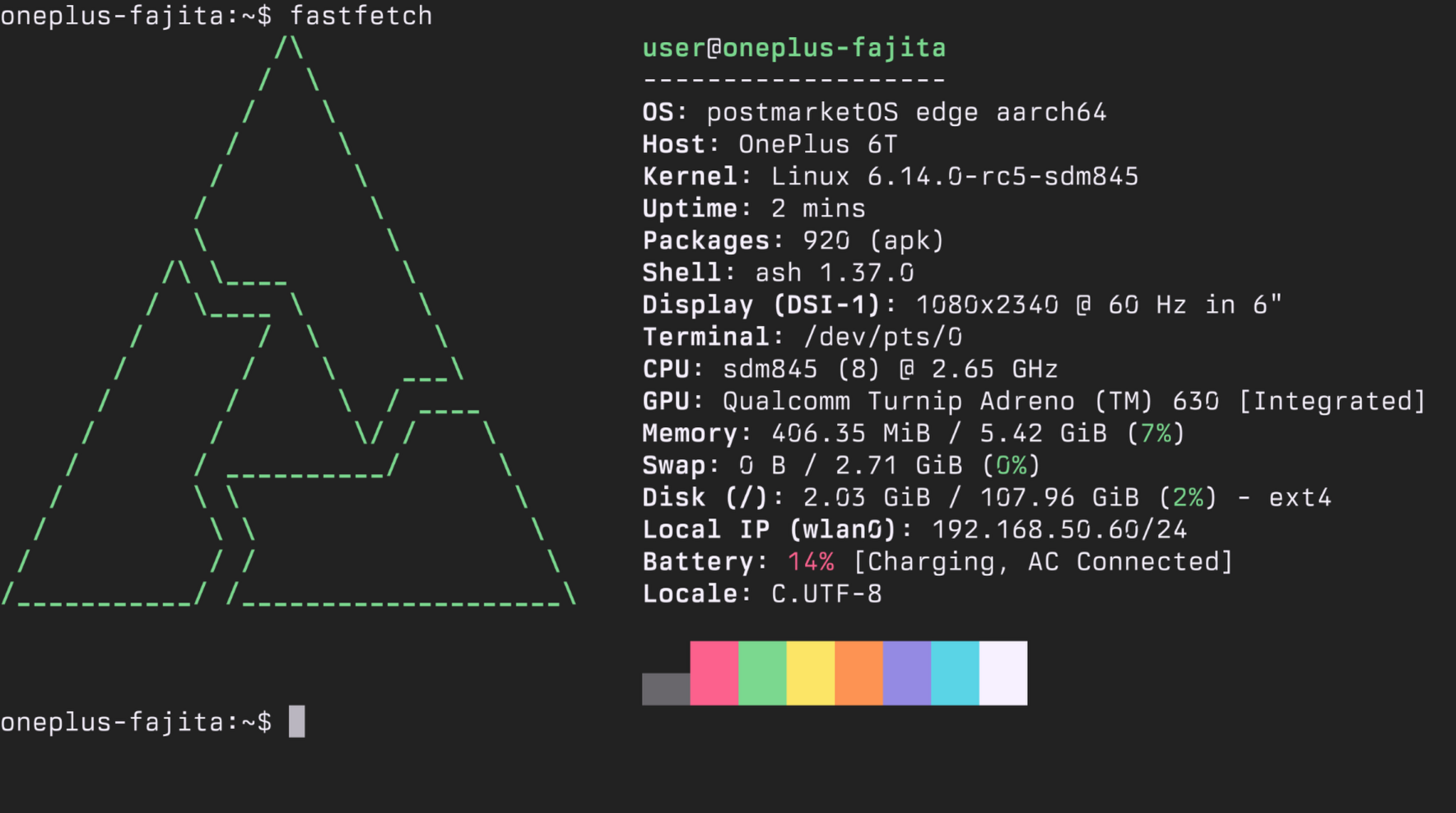
And so when I remembered that I had a OnePlus 6T in a drawer doing nothing, and vaguely remembering some articles about running Kubernetes (with k3s) on postmarketOS, it gave me an idea that would quickly suck away an entire day of my life: Let's put it in the cluster.
Step one was the easiest - pull out the configuration needed to join a non-Talos kubelet. I use Talos Linux for my homelab, since I can boot an image and throw a YAML file to provision new nodes or reset existing ones. Unfortunately for me, my only option (that I'm aware of) for this particular goal is running postmarketOS, based on Alpine Linux. Someone has already done the work of pulling out the configurations from a Talos node, thankfully, so I just had to pull down some files.
I did this while flashing the phone with the postmarketOS web flasher tool. I had no idea this existed, but made life very easy - plug in phone, let my browser hand it over to the webpage, and pick the image I want to flash. After flashing, I performed the very straightforward steps to remove the GNOME interface, leaving me with a fairly lightweight install and a useless tty-based phone.
So far so good. It was time to turn my attention to the meat of this project - installing Kubernetes. The Alpine wiki has a page about this, and most of the instructions are pretty typical for a manual Kubernetes deployment. The one note is that the flannel-contrib-cni doesn't have an aarch64 package, so couldn't be installed on my target. Once kubelet and containerd were installed, it was time for some trial and error. I loaded the files I'd grabbed from Talos and set to work figuring out the command line incantation required to get things working, eventually coming up with this:
/usr/bin/kubelet --config /var/lib/kubelet/config.yaml --bootstrap-kubeconfig=/etc/kubernetes/bootstrap-kubelet.conf --kubeconfig=/etc/kubernetes/kubelet.conf --fail-swap-on=false
One thing to note is that I explicitly disable failing from the precense of swap - Kubernetes does have some support for swap now, so I'm opting to keep it enabled (disabling swap can lead to some interesting behaviour from my experience). Containerd run as-is and didn't require any configuration changes, which was good enough.
At this point, I realised I didn't have any systemd units. postmarketOS edge recently merged systemd support, phasing out OpenRC, but most Alpine packages are built with the assumption OpenRC is being used. On the bright side, the systemd units I did have to write weren't very complex, or there were examples already out there. For the sake of completion:
containerd has their own service definition The Kubernetes docs have a good example available
Et voila! With a bit of back and forth, which I'm leaving out since it did consume about half of my day, I had a new node in my cluster! But wait... the networking is acting funky...
And this, reader, is where the other half of my day went. First, postmarketOS ships with some fairly sensible firewall rules using nftables, which meant that the port used to talk to the kubelet was blocked. Easy enough. However, issues persisted, especially in the world of DNS resolution. Taking a look at the kube-proxy container running on the phone, there were a lot of complaints about being unable to set nft rules, returning a file not found error. Utterly baffled, having not played with nftables much in my free time, I spend a lot of time search fruitlessly for a solution before realising that the kernel that postmarketOS had been built with for the phone didn't include the kernel module numgem. I expected nftables to be a fairly binary on/off configuration option in the kernel, but it turns out this is not the case - some of the functionality can be turned off and not built into a module. In this case, the numgen module was overlooked and not built, while kube-proxy relies on it for its rules. The nft command complaining about a missing file wasn't technically wrong, but a pretty serious red herring.
So it's time to build the Linux kernel!
Building the kernel was actually fairly simple, all things considered. postmarketOS does have a wiki page on it, but assumes you're building from, well, not the phone. I didn't want to deal with cross-architecture building though, and I have a full Linux environment right here! Let's use it!
First, I pulled up the APKBUILD file for my respective device and downloaded the source tarfile. I then copied the config from that same directory to the .config of the extracted tar and made sure to enable the config flag I cared about (CONFIG_NFT_NUMGEN). From there, it was as easy as running make... right? Almost - I had to make sure to append an output directory to the make command, and move the .config file into it. This is because of how the kernel is then built into an Alpine package that can subsequently be installed. Now I could kick off the make -j$(nproc) command and... find something else to do. It took a while.
Once complete, it was a case of running the pmbootstrap command to bundle it into an apk file, finding where the apk file got put, and installing it. A reboot later, and we have the module! Hooray! Kube-proxy is happy!
I turned my attention to some of the other... minor... details. Primarily, network connectivity. It was all over the place, with the measured latency being anywhere between 5ms-100ms to the router. I wasn't about to dig into the nitty gritty details of the wireless networking chip and drivers, so grabbed an old dongle that included power in and ethernet. I had to work around the OTG "semi working" on this particular model of phone, but after a reboot it picked up an IP and seems to prioritise it automatically over the wireless connection.
To cap things off, I did a quick echo 0 > /sys/class/backlight/ae94000.dsi.0/brightness to make sure the screen was turned off completely, and ran my haproxy-updater script to add the phone's IP address to HAProxy for load balancing. It was officially part of the cluster and scheduling nodes. It worked! An extra "8" cores and 6GB of memory to work with.

Would I recommend this? Maybe. It really depends on your tolerance for troubleshooting and going down rabbit holes, and the support your old Android phone has for postmarketOS. It was definetly a learning experience, and I've recycled a 7-year old phone that has had two owners (I lent it to a friend for a while), so I'm feeling pretty good about the amount of time I spent getting it working. But I'm not sure I'd go out of my way to make a phone-based Kubernetes cluster.